channels.txt
· 3.7 KiB · Text
Originalformat
#https://piped.video/channel/UCRiYVwfoEnKfweISfKytuQw # Akimbo
https://piped.video/channel/UCxXlxVmarXu3n340ah5xwqA # Astrobiscuit
https://piped.video/channel/UC-9b7aDP6ZN0coj9-xFnrtw # Astrum
#https://piped.video/channel/UCTEEa35OCDcJDh-lwbXehdg # CantrellCaving
#https://piped.video/channel/UCbW17b5g1Eb90M457eOykPg # Chinese cuisine
https://piped.video/channel/UCg6gPGh8HU2U01vaFCAsvmQ # Chris Titus Tech
#https://piped.video/channel/UCvfqpaehdaqtkXPNhvJRyGA # Dash Cam Owners Australia
https://piped.video/channel/UCdC0An4ZPNr_YiFiYoVbwaw # Daily Dose of Internet
https://piped.video/channel/UCmdmZp1K_kjXYBKgyqg_5LA # Daily Dose of Gaming
https://piped.video/channel/UCk6_V9EQQ7c8fuWzFKcCNzQ # Daily Dose of Pets
https://piped.video/channel/UCTIa8uo_aisNdqQpMf4wKTg # DailyDoseOfInternetCats
#https://piped.video/channel/UCnetiRHPnIMBCm-yY4m69qA # Dashcam Lessons
#https://piped.video/channel/UCOS7jdle9zw_HnKW4ytZnDw # Dashcam Nation
#https://piped.video/channel/UCqOoboPm3uhY_YXhvhmL-WA # Discovery
https://piped.video/channel/UCxByVUuLdxxiqQVmbOnDEzw # Erik Granqvist
#https://piped.video/channel/UCPq2ETz4aAGo2Z-8JisDPIA # ESL Counter-Strike
#https://piped.video/channel/UCwF3VyalTHzL0L-GDlwtbRw # EVE Online
#https://piped.video/channel/UC73dVtWf9mpjiWYkXyIlm7A # Exploring the Unbeaten Path
https://piped.video/channel/UCPDis9pjXuqyI7RYLJ-TTSA # FailArmy
https://piped.video/channel/UCt8CdzMEoTie3iix3KmvV7A # GameSprout
#https://piped.video/channel/UC5SlWFFu-YvbujLKa0zoNGw # Idiot Drivers
#https://piped.video/channel/UCXE0IwEN5HkDohBq2ebv5Bw # Idiots In Cars
https://piped.video/channel/UCw7FkXsC00lH2v2yB5LQoYA # jackfrags
https://piped.video/channel/UCWFKCr40YwOZQx8FHU_ZqqQ # JerryRigEverything
https://piped.video/channel/UCla1P6TzCetvMHJ6ZHyXxgA # Kanal 5 Sverige
https://piped.video/channel/UCsXVk37bltHxD1rDPwtNM8Q # Kurzgesagt - In a Nutshell
#https://piped.video/channel/UCpJmBQ8iNHXeQ7jQWDyGe3A # Life Noggin
#https://piped.video/channel/UCXuqSBlHAE6Xw-yeJA0Tunw # Linus Tech Tips
https://piped.video/channel/UCS1-E3fjfJmY5O2HqhXM5CQ # Learn Japanese Channel
#https://piped.video/channel/UCKIrZr7WuPFgFy7OfkAuHOw # MegaDrivingSchool
#https://piped.video/channel/UCS67mNnpfnHsU3IQYNHLToA # Most Dangerous
#https://piped.video/channel/UCpVm7bg6pXKo1Pr6k5kxG9A # National Geographic
#https://piped.video/channel/UCDPk9MG2RexnOMGTD-YnSnA # Nat Geo Wild
#https://piped.video/channel/UCL-g3eGJi1omSDSz48AML-g # NVIDIA GeForce
https://piped.video/channel/UC-ihxmkocezGSm9JcKg1rfw # OperatorDrewski
https://piped.video/channel/UCfpCQ89W9wjkHc8J_6eTbBg # Outdoor Boys
#https://piped.video/channel/UCKGe7fZ_S788Jaspxg-_5Sg # PC Security Channel
https://piped.video/channel/UCwdsaWtA70AiVeALp2ux6RA # RamenStyle
#https://piped.video/channel/UCs5QhJQF9I1m81bCJy0WO-w # Real History
#https://piped.video/channel/UCB1qBlpuLMi2ydz8zxFfLfw # Ribecka
https://piped.video/channel/UC8kQrh-1JyFZ3RiTHHKMt7A # Ruby Dashcam Academy
https://piped.video/channel/UCRtsZ5Iak9wSLsQLQ3XOAeA # SciManDan
#https://piped.video/channel/UCZpZTSdvEgVf0BqTqf9NjNg # Sean Dalton
https://piped.video/channel/UCpXwMqnXfJzazKS5fJ8nrVw # shiey
#https://piped.video/channel/UCUMwsAsbK-SsW5GHufJJFUA # SHL
https://piped.video/channel/UCpB959t8iPrxQWj7G6n0ctQ # SSSniperWolf
https://piped.video/channel/UCQD3awTLw9i8Xzh85FKsuJA # SovietWomble
#https://piped.video/channel/UCOt5hVyS2-nbcJ3_FP41Ajg # Tomographic
#https://piped.video/channel/UCHnyfMqiRRG1u-2MsSQLbXA # Veritasium
https://piped.video/channel/UCYfnmhHA2O-q1JHPJDWpaOQ # Volvo Dashcam
#https://piped.video/channel/UCvz84_Q0BbvZThy75mbd-Dg # Zack D. Films
#https://piped.video/channel/UC4Tklxku1yPcRIH0VVCKoeA # Quantum Tech HD
| 1 | #https://piped.video/channel/UCRiYVwfoEnKfweISfKytuQw # Akimbo |
| 2 | https://piped.video/channel/UCxXlxVmarXu3n340ah5xwqA # Astrobiscuit |
| 3 | https://piped.video/channel/UC-9b7aDP6ZN0coj9-xFnrtw # Astrum |
| 4 | #https://piped.video/channel/UCTEEa35OCDcJDh-lwbXehdg # CantrellCaving |
| 5 | #https://piped.video/channel/UCbW17b5g1Eb90M457eOykPg # Chinese cuisine |
| 6 | https://piped.video/channel/UCg6gPGh8HU2U01vaFCAsvmQ # Chris Titus Tech |
| 7 | #https://piped.video/channel/UCvfqpaehdaqtkXPNhvJRyGA # Dash Cam Owners Australia |
| 8 | https://piped.video/channel/UCdC0An4ZPNr_YiFiYoVbwaw # Daily Dose of Internet |
| 9 | https://piped.video/channel/UCmdmZp1K_kjXYBKgyqg_5LA # Daily Dose of Gaming |
| 10 | https://piped.video/channel/UCk6_V9EQQ7c8fuWzFKcCNzQ # Daily Dose of Pets |
| 11 | https://piped.video/channel/UCTIa8uo_aisNdqQpMf4wKTg # DailyDoseOfInternetCats |
| 12 | #https://piped.video/channel/UCnetiRHPnIMBCm-yY4m69qA # Dashcam Lessons |
| 13 | #https://piped.video/channel/UCOS7jdle9zw_HnKW4ytZnDw # Dashcam Nation |
| 14 | #https://piped.video/channel/UCqOoboPm3uhY_YXhvhmL-WA # Discovery |
| 15 | https://piped.video/channel/UCxByVUuLdxxiqQVmbOnDEzw # Erik Granqvist |
| 16 | #https://piped.video/channel/UCPq2ETz4aAGo2Z-8JisDPIA # ESL Counter-Strike |
| 17 | #https://piped.video/channel/UCwF3VyalTHzL0L-GDlwtbRw # EVE Online |
| 18 | #https://piped.video/channel/UC73dVtWf9mpjiWYkXyIlm7A # Exploring the Unbeaten Path |
| 19 | https://piped.video/channel/UCPDis9pjXuqyI7RYLJ-TTSA # FailArmy |
| 20 | https://piped.video/channel/UCt8CdzMEoTie3iix3KmvV7A # GameSprout |
| 21 | #https://piped.video/channel/UC5SlWFFu-YvbujLKa0zoNGw # Idiot Drivers |
| 22 | #https://piped.video/channel/UCXE0IwEN5HkDohBq2ebv5Bw # Idiots In Cars |
| 23 | https://piped.video/channel/UCw7FkXsC00lH2v2yB5LQoYA # jackfrags |
| 24 | https://piped.video/channel/UCWFKCr40YwOZQx8FHU_ZqqQ # JerryRigEverything |
| 25 | https://piped.video/channel/UCla1P6TzCetvMHJ6ZHyXxgA # Kanal 5 Sverige |
| 26 | https://piped.video/channel/UCsXVk37bltHxD1rDPwtNM8Q # Kurzgesagt - In a Nutshell |
| 27 | #https://piped.video/channel/UCpJmBQ8iNHXeQ7jQWDyGe3A # Life Noggin |
| 28 | #https://piped.video/channel/UCXuqSBlHAE6Xw-yeJA0Tunw # Linus Tech Tips |
| 29 | https://piped.video/channel/UCS1-E3fjfJmY5O2HqhXM5CQ # Learn Japanese Channel |
| 30 | #https://piped.video/channel/UCKIrZr7WuPFgFy7OfkAuHOw # MegaDrivingSchool |
| 31 | #https://piped.video/channel/UCS67mNnpfnHsU3IQYNHLToA # Most Dangerous |
| 32 | #https://piped.video/channel/UCpVm7bg6pXKo1Pr6k5kxG9A # National Geographic |
| 33 | #https://piped.video/channel/UCDPk9MG2RexnOMGTD-YnSnA # Nat Geo Wild |
| 34 | #https://piped.video/channel/UCL-g3eGJi1omSDSz48AML-g # NVIDIA GeForce |
| 35 | https://piped.video/channel/UC-ihxmkocezGSm9JcKg1rfw # OperatorDrewski |
| 36 | https://piped.video/channel/UCfpCQ89W9wjkHc8J_6eTbBg # Outdoor Boys |
| 37 | #https://piped.video/channel/UCKGe7fZ_S788Jaspxg-_5Sg # PC Security Channel |
| 38 | https://piped.video/channel/UCwdsaWtA70AiVeALp2ux6RA # RamenStyle |
| 39 | #https://piped.video/channel/UCs5QhJQF9I1m81bCJy0WO-w # Real History |
| 40 | #https://piped.video/channel/UCB1qBlpuLMi2ydz8zxFfLfw # Ribecka |
| 41 | https://piped.video/channel/UC8kQrh-1JyFZ3RiTHHKMt7A # Ruby Dashcam Academy |
| 42 | https://piped.video/channel/UCRtsZ5Iak9wSLsQLQ3XOAeA # SciManDan |
| 43 | #https://piped.video/channel/UCZpZTSdvEgVf0BqTqf9NjNg # Sean Dalton |
| 44 | https://piped.video/channel/UCpXwMqnXfJzazKS5fJ8nrVw # shiey |
| 45 | #https://piped.video/channel/UCUMwsAsbK-SsW5GHufJJFUA # SHL |
| 46 | https://piped.video/channel/UCpB959t8iPrxQWj7G6n0ctQ # SSSniperWolf |
| 47 | https://piped.video/channel/UCQD3awTLw9i8Xzh85FKsuJA # SovietWomble |
| 48 | #https://piped.video/channel/UCOt5hVyS2-nbcJ3_FP41Ajg # Tomographic |
| 49 | #https://piped.video/channel/UCHnyfMqiRRG1u-2MsSQLbXA # Veritasium |
| 50 | https://piped.video/channel/UCYfnmhHA2O-q1JHPJDWpaOQ # Volvo Dashcam |
| 51 | #https://piped.video/channel/UCvz84_Q0BbvZThy75mbd-Dg # Zack D. Films |
| 52 | #https://piped.video/channel/UC4Tklxku1yPcRIH0VVCKoeA # Quantum Tech HD |
crontab
· 287 B · Text
Originalformat
# Add this line to crontab -e as sudo (sudo su) to automate the whole thing
# As it is right now, videos will be downloaded from YouTube every 6 hour (00:00 > 06:00 > 12:00 > 18:00 > repeat)
0 */6 * * * /bin/bash /mnt/ExtSSD/Backups/Bash/dlyt.sh >> /mnt/ExtSSD/Backups/Bash/dlyt.log 2>&1
| 1 | # Add this line to crontab -e as sudo (sudo su) to automate the whole thing |
| 2 | # As it is right now, videos will be downloaded from YouTube every 6 hour (00:00 > 06:00 > 12:00 > 18:00 > repeat) |
| 3 | 0 */6 * * * /bin/bash /mnt/ExtSSD/Backups/Bash/dlyt.sh >> /mnt/ExtSSD/Backups/Bash/dlyt.log 2>&1 |
dlyt.sh
· 8.8 KiB · Bash
Originalformat
#!/bin/bash
###############################################################################
# dlyt.sh
#
# YouTube → Jellyfin Downloader & Organizer
#
# Downloads recent YouTube videos from channels listed in channels.txt,
# organizes them into a Jellyfin-friendly folder structure, generates NFO files,
# converts thumbnails from WEBP to JPG, and cleans up unnecessary files.
#
# Features:
# - Downloads up to 5 videos per channel (configurable via --playlist-end)
# - Skips live, upcoming, long (>2h) videos, or titles containing "WAN"
# - Sorts episodes by upload_date
# - Creates Season 01 and Specials (shorts)
# - Generates tvshow.nfo with channel description
# - Converts thumbnails from WEBP → JPG
# - Cleans up info.json and description files after NFO creation
# - Removes orphaned or leftover files
# - Changes ownership to jellyfin for proper library access
#
# Dependencies:
# - yt-dlp
# - jq
# - ImageMagick (magick command)
# - Bash ≥4
###############################################################################
set -euo pipefail # Abort on errors, unset variables are errors, pipeline failures propagate
# BASE DIRECTORIES
BASE="/dir/to/folder" # Root for all downloads
YTDLP="$BASE/yt-dlp" # Folder for downloads
CHANNELS="$BASE/channels.txt" # List of channels
mkdir -p "$YTDLP" # Create download folder if missing
sudo chown -R user:user "${YTDLP}" # Temporarily give ownership to the user to allow writing
echo "===== yt-dlp download ====="
# Download videos with yt-dlp
yt-dlp \
--ignore-errors \
--no-overwrites \
--continue \
--restrict-filenames \
--windows-filenames \
--playlist-end 5 \
\
--dateafter now-10days \
\
--match-filter "!is_live & live_status!=is_upcoming & duration<7200 & title!*=WAN" \
\
--format "(bestvideo[ext=mp4][height<=1080]/bestvideo[height<=1080])+(bestaudio[ext=m4a]/bestaudio)/best[ext=mp4]/best" \
--merge-output-format mp4 \
\
--write-info-json \
--write-description \
--write-thumbnail \
--embed-chapters \
--sponsorblock-mark all,-preview,-filler,-interaction \
--download-archive "$YTDLP/downloaded.txt" \
\
--output "$YTDLP/%(uploader)s/%(title)s [%(id)s].%(ext)s" \
\
-a "$CHANNELS" || true
echo "===== Organizing channels ====="
# Folder layout for each channel:
# SHOW/ <- Root folder for channel (e.g., "SciManDan")
# ├─ Season 01/ <- Regular episodes (longer than 240s)
# │ ├─ S01E01 - Title1 [ID].mp4
# │ ├─ S01E02 - Title2 [ID].mp4
# │ ├─ ...
# │ ├─ S01E01 - Title1 [ID].webp <- optional, converted later to .jpg
# │ └─ S01E02 - Title2 [ID].webp
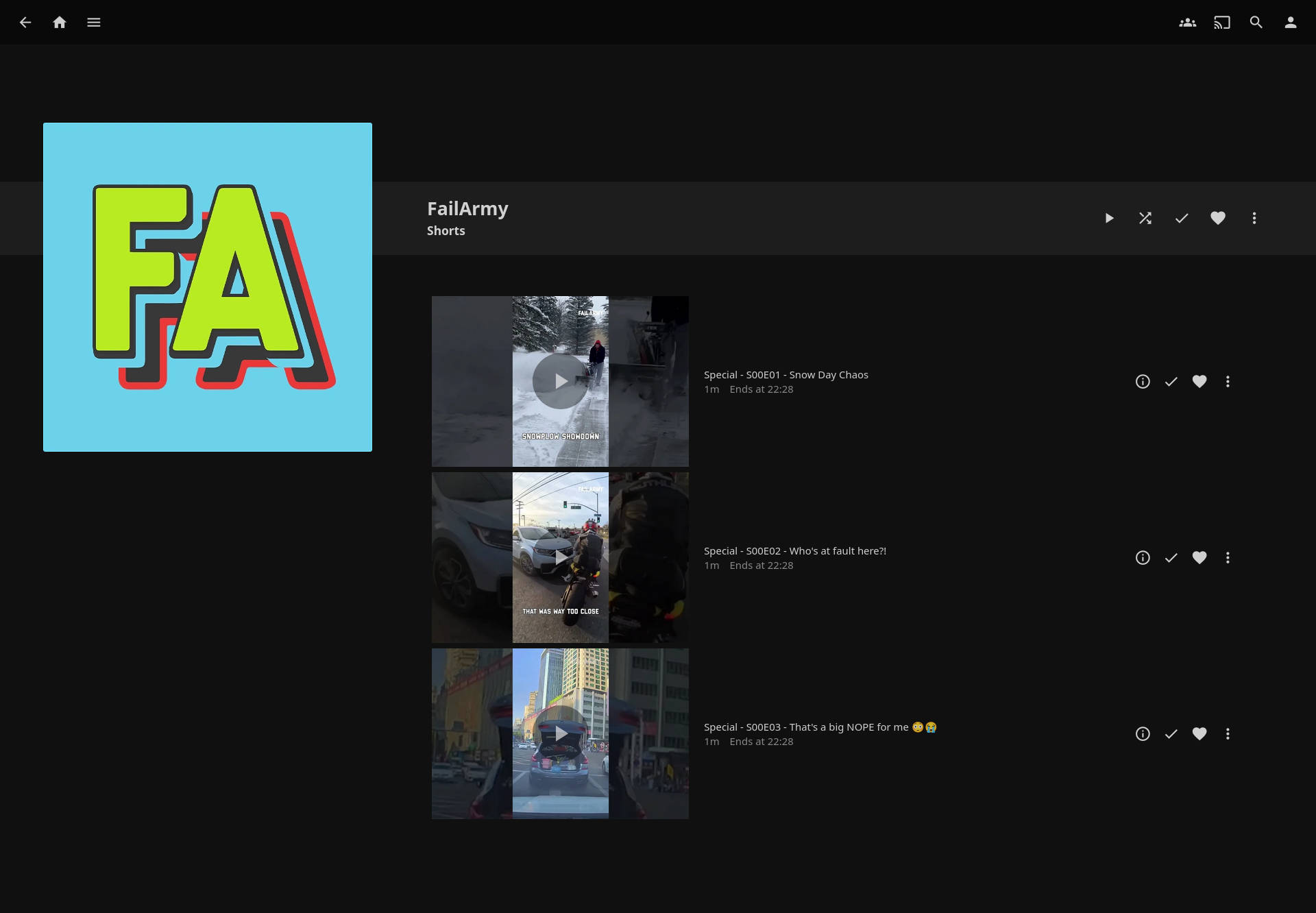
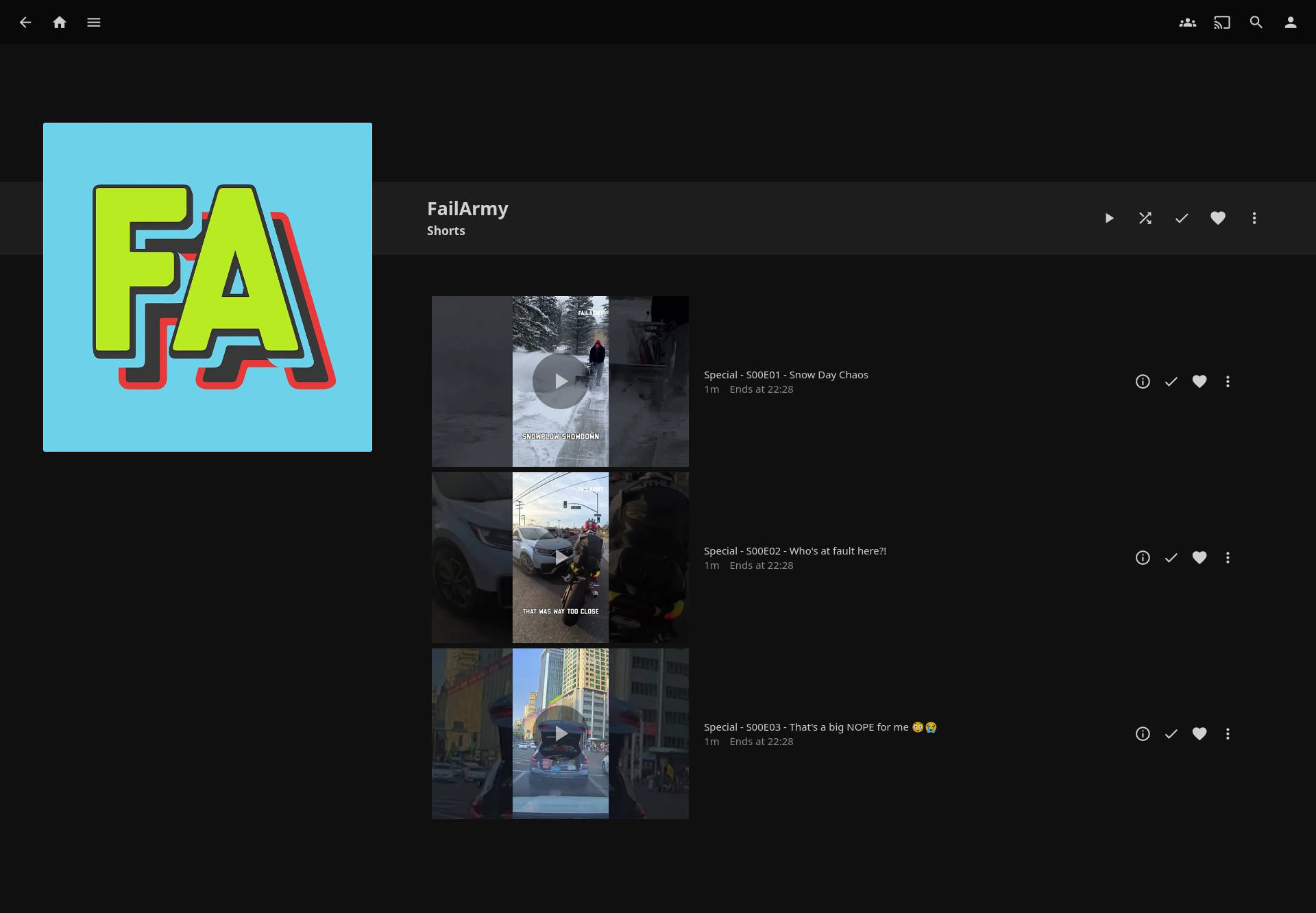
# ├─ Specials/ <- Shorts (<241s (=4min))
# │ ├─ S00E01 - Short1 [ID].mp4
# │ ├─ S00E02 - Short2 [ID].mp4
# │ └─ ...
# ├─ tvshow.nfo <- Generated channel NFO
# ├─ poster.jpg <- First JPG in channel, copied as poster
# └─ other leftover files <- cleaned up by the script
# Iterate over each channel folder
find "$YTDLP" -mindepth 1 -maxdepth 1 -type d | while read -r SHOW; do
mkdir -p "$SHOW/Season 01" "$SHOW/Specials" # Create Season/Specials folders
ep1=1 # Season 01 episode counter
ep0=1 # Specials (shorts) episode counter
# Sort episodes by upload_date: get date|jsonfile, sort by date, then cut jsonfile
find "$SHOW" -maxdepth 1 -name "*.info.json" | while read -r JSON; do
DATE=$(jq -r '.upload_date // "00000000"' "$JSON") # Use default 00000000 if missing
echo "$DATE|$JSON" # Format: YYYYMMDD|jsonfile
done | sort | cut -d'|' -f2 | while read -r JSON; do
# Explanation of pipe:
# 1. `jq` extracts upload_date from each .info.json
# 2. `echo "$DATE|$JSON"` pairs date with filename
# 3. `sort` sorts alphabetically → chronological because YYYYMMDD
# 4. `cut -d'|' -f2` returns only the filename, in sorted order
BASEFILE="${JSON%.info.json}" # Base filename without extension
MP4="$BASEFILE.mp4" # Corresponding video file
[ ! -f "$MP4" ] && continue # Skip if video missing
TITLE=$(jq -r '.title' "$JSON") # Video title
DESC=$(jq -r '.description // ""' "$JSON") # Video description (empty if missing)
DATE=$(jq -r '.upload_date' "$JSON") # Upload date
ID=$(jq -r '.id' "$JSON") # YouTube video ID
DURATION=$(jq -r '.duration // 0' "$JSON") # Duration in seconds
AIRED="${DATE:0:4}-${DATE:4:2}-${DATE:6:2}" # Convert YYYYMMDD → YYYY-MM-DD
# Determine Season / Specials based on duration
if [ "$DURATION" -lt 241 ]; then
SEASON=0
EP=$(printf "%02d" "$ep0") # Zero-padded episode
SAFE_TITLE=$(echo "$TITLE" | cut -c1-120) # Truncate long titles to 120 chars
DEST="$SHOW/Specials/S00E$EP - $SAFE_TITLE [$ID]"
ep0=$((ep0+1)) # Increment specials counter
else
SEASON=1
EP=$(printf "%02d" "$ep1")
SAFE_TITLE=$(echo "$TITLE" | cut -c1-120)
DEST="$SHOW/Season 01/S01E$EP - $SAFE_TITLE [$ID]"
ep1=$((ep1+1)) # Increment season counter
fi
mkdir -p "$(dirname "$DEST")" # Ensure destination folder exists
mv "$MP4" "$DEST.mp4" # Move video to organized folder
# Move WEBP thumbnail to match episode name
if [ -f "$BASEFILE.webp" ]; then
mv "$BASEFILE.webp" "$DEST.webp"
fi
# Create episode NFO
cat > "$DEST.nfo" <<EOF
# Mapping of episode files:
# For each episode DEST:
# DEST.mp4 <- main video
# DEST.webp <- original thumbnail (moved)
# DEST.jpg <- converted thumbnail via ImageMagick
# DEST.nfo <- episode metadata
#
# This ensures Jellyfin recognizes the episode with proper thumbnail and metadata.
<?xml version="1.0" encoding="UTF-8" standalone="yes"?>
<episodedetails>
<title>$TITLE</title>
<season>$SEASON</season>
<episode>$((10#$EP))</episode> # Convert to decimal, handle leading zeros
<airikred>$AIRED</airikred>
<premiered>$AIRED</premiered>
<plot><![CDATA[$DESC]]></plot>
<uniqueid type="youtube">$ID</uniqueid>
</episodedetails>
EOF
rm -f "$BASEFILE.info.json" "$BASEFILE.description" # Cleanup metadata
done
echo "===== Generating tvshow.nfo for $(basename "$SHOW") ====="
# tvshow.nfo & poster.jpg:
# - tvshow.nfo contains channel title, studio, and channel description (plot)
# - poster.jpg is copied from the first .jpg found in channel (episode thumbnail)
#
# Jellyfin reads this for series overview in the library.
if [ ! -f "$SHOW/tvshow.nfo" ]; then
# Attempt to grab channel description from first info.json
CHANNEL_JSON=$(find "$SHOW" -maxdepth 1 -name "*[[]*.info.json" | head -n 1)
if [ -n "$CHANNEL_JSON" ]; then
SHOW_DESC=$(jq -r '.description // ""' "$CHANNEL_JSON")
else
SHOW_DESC=""
fi
cat > "$SHOW/tvshow.nfo" <<EOF
<?xml version="1.0" encoding="UTF-8" standalone="yes"?>
<tvshow>
<title>$(basename "$SHOW")</title>
<studio>YouTube</studio>
<plot><![CDATA[$SHOW_DESC]]></plot>
</tvshow>
EOF
fi
# Ensure poster.jpg exists for the channel
if [ ! -f "$SHOW/poster.jpg" ]; then
THUMB=$(find "$SHOW" -type f -iname "*.jpg" | head -n 1)
[ -n "$THUMB" ] && cp "$THUMB" "$SHOW/poster.jpg"
fi
done
echo "===== Removing old JPGs in channel root ====="
# Remove unnecessary JPGs from root (except poster.jpg)
for CHANNEL in "$YTDLP"/*; do
[ -d "$CHANNEL" ] || continue
find "$CHANNEL" -maxdepth 1 -type f -name "*.jpg" ! -name "poster.jpg" -exec rm -f {} +
done
echo "===== Converting WEBP thumbnails to JPG with ImageMagick ====="
# Conversion process:
# - Each *.webp file in the channel folder tree is converted to *.jpg
# - Original *.webp is deleted later
# - JPG filename matches video DEST, so Jellyfin can use it automatically
# Example:
# /SciManDan/Season 01/S01E01 - Title1 [ID].webp -> S01E01 - Title1 [ID].jpg
# Convert WEBP thumbnails to JPG
find "$YTDLP" -type f -name "*.webp" | while read -r WEBP; do
JPG="${WEBP%.webp}.jpg"
magick "$WEBP" "$JPG" # magick CLI converts webp → jpg
done
echo "===== Removing WEBP files ====="
find "$YTDLP" -type f -name "*.webp" -delete # Remove WEBP after conversion
echo "===== Cleaning up leftover channel metadata ====="
# Remove any leftover .info.json and .description files
for CHANNEL in "$YTDLP"/*; do
[ -d "$CHANNEL" ] || continue
find "$CHANNEL" -maxdepth 1 -type f \( \
-name "*.info.json" -o \
-name "*.description" \
\) -exec rm -f {} +
done
echo "===== Cleaning orphaned NFO and JPG files ====="
# Delete any leftover orphaned NFO/JPG if MP4 is missing
for CHANNEL in "$YTDLP"/*; do
[ -d "$CHANNEL" ] || continue
find "$CHANNEL" -type f \( -name "*.info.json" -o -name "*.description" \) -exec rm -f {} +
done
echo "===== Change owner rights to Jellyfin ====="
sudo chown -R jellyfin:jellyfin "${YTDLP}" # Final ownership for Jellyfin access
echo "===== ALL DONE ====="
| 1 | #!/bin/bash |
| 2 | ############################################################################### |
| 3 | # dlyt.sh |
| 4 | # |
| 5 | # YouTube → Jellyfin Downloader & Organizer |
| 6 | # |
| 7 | # Downloads recent YouTube videos from channels listed in channels.txt, |
| 8 | # organizes them into a Jellyfin-friendly folder structure, generates NFO files, |
| 9 | # converts thumbnails from WEBP to JPG, and cleans up unnecessary files. |
| 10 | # |
| 11 | # Features: |
| 12 | # - Downloads up to 5 videos per channel (configurable via --playlist-end) |
| 13 | # - Skips live, upcoming, long (>2h) videos, or titles containing "WAN" |
| 14 | # - Sorts episodes by upload_date |
| 15 | # - Creates Season 01 and Specials (shorts) |
| 16 | # - Generates tvshow.nfo with channel description |
| 17 | # - Converts thumbnails from WEBP → JPG |
| 18 | # - Cleans up info.json and description files after NFO creation |
| 19 | # - Removes orphaned or leftover files |
| 20 | # - Changes ownership to jellyfin for proper library access |
| 21 | # |
| 22 | # Dependencies: |
| 23 | # - yt-dlp |
| 24 | # - jq |
| 25 | # - ImageMagick (magick command) |
| 26 | # - Bash ≥4 |
| 27 | ############################################################################### |
| 28 | |
| 29 | set -euo pipefail # Abort on errors, unset variables are errors, pipeline failures propagate |
| 30 | |
| 31 | # BASE DIRECTORIES |
| 32 | BASE="/dir/to/folder" # Root for all downloads |
| 33 | YTDLP="$BASE/yt-dlp" # Folder for downloads |
| 34 | CHANNELS="$BASE/channels.txt" # List of channels |
| 35 | |
| 36 | mkdir -p "$YTDLP" # Create download folder if missing |
| 37 | |
| 38 | sudo chown -R user:user "${YTDLP}" # Temporarily give ownership to the user to allow writing |
| 39 | |
| 40 | |
| 41 | |
| 42 | echo "===== yt-dlp download =====" |
| 43 | |
| 44 | # Download videos with yt-dlp |
| 45 | yt-dlp \ |
| 46 | --ignore-errors \ |
| 47 | --no-overwrites \ |
| 48 | --continue \ |
| 49 | --restrict-filenames \ |
| 50 | --windows-filenames \ |
| 51 | --playlist-end 5 \ |
| 52 | \ |
| 53 | --dateafter now-10days \ |
| 54 | \ |
| 55 | --match-filter "!is_live & live_status!=is_upcoming & duration<7200 & title!*=WAN" \ |
| 56 | \ |
| 57 | --format "(bestvideo[ext=mp4][height<=1080]/bestvideo[height<=1080])+(bestaudio[ext=m4a]/bestaudio)/best[ext=mp4]/best" \ |
| 58 | --merge-output-format mp4 \ |
| 59 | \ |
| 60 | --write-info-json \ |
| 61 | --write-description \ |
| 62 | --write-thumbnail \ |
| 63 | --embed-chapters \ |
| 64 | --sponsorblock-mark all,-preview,-filler,-interaction \ |
| 65 | --download-archive "$YTDLP/downloaded.txt" \ |
| 66 | \ |
| 67 | --output "$YTDLP/%(uploader)s/%(title)s [%(id)s].%(ext)s" \ |
| 68 | \ |
| 69 | -a "$CHANNELS" || true |
| 70 | |
| 71 | |
| 72 | |
| 73 | echo "===== Organizing channels =====" |
| 74 | |
| 75 | # Folder layout for each channel: |
| 76 | # SHOW/ <- Root folder for channel (e.g., "SciManDan") |
| 77 | # ├─ Season 01/ <- Regular episodes (longer than 240s) |
| 78 | # │ ├─ S01E01 - Title1 [ID].mp4 |
| 79 | # │ ├─ S01E02 - Title2 [ID].mp4 |
| 80 | # │ ├─ ... |
| 81 | # │ ├─ S01E01 - Title1 [ID].webp <- optional, converted later to .jpg |
| 82 | # │ └─ S01E02 - Title2 [ID].webp |
| 83 | # ├─ Specials/ <- Shorts (<241s (=4min)) |
| 84 | # │ ├─ S00E01 - Short1 [ID].mp4 |
| 85 | # │ ├─ S00E02 - Short2 [ID].mp4 |
| 86 | # │ └─ ... |
| 87 | # ├─ tvshow.nfo <- Generated channel NFO |
| 88 | # ├─ poster.jpg <- First JPG in channel, copied as poster |
| 89 | # └─ other leftover files <- cleaned up by the script |
| 90 | |
| 91 | # Iterate over each channel folder |
| 92 | find "$YTDLP" -mindepth 1 -maxdepth 1 -type d | while read -r SHOW; do |
| 93 | mkdir -p "$SHOW/Season 01" "$SHOW/Specials" # Create Season/Specials folders |
| 94 | |
| 95 | ep1=1 # Season 01 episode counter |
| 96 | ep0=1 # Specials (shorts) episode counter |
| 97 | |
| 98 | # Sort episodes by upload_date: get date|jsonfile, sort by date, then cut jsonfile |
| 99 | find "$SHOW" -maxdepth 1 -name "*.info.json" | while read -r JSON; do |
| 100 | DATE=$(jq -r '.upload_date // "00000000"' "$JSON") # Use default 00000000 if missing |
| 101 | echo "$DATE|$JSON" # Format: YYYYMMDD|jsonfile |
| 102 | done | sort | cut -d'|' -f2 | while read -r JSON; do |
| 103 | # Explanation of pipe: |
| 104 | # 1. `jq` extracts upload_date from each .info.json |
| 105 | # 2. `echo "$DATE|$JSON"` pairs date with filename |
| 106 | # 3. `sort` sorts alphabetically → chronological because YYYYMMDD |
| 107 | # 4. `cut -d'|' -f2` returns only the filename, in sorted order |
| 108 | BASEFILE="${JSON%.info.json}" # Base filename without extension |
| 109 | MP4="$BASEFILE.mp4" # Corresponding video file |
| 110 | [ ! -f "$MP4" ] && continue # Skip if video missing |
| 111 | |
| 112 | TITLE=$(jq -r '.title' "$JSON") # Video title |
| 113 | DESC=$(jq -r '.description // ""' "$JSON") # Video description (empty if missing) |
| 114 | DATE=$(jq -r '.upload_date' "$JSON") # Upload date |
| 115 | ID=$(jq -r '.id' "$JSON") # YouTube video ID |
| 116 | DURATION=$(jq -r '.duration // 0' "$JSON") # Duration in seconds |
| 117 | |
| 118 | AIRED="${DATE:0:4}-${DATE:4:2}-${DATE:6:2}" # Convert YYYYMMDD → YYYY-MM-DD |
| 119 | |
| 120 | # Determine Season / Specials based on duration |
| 121 | if [ "$DURATION" -lt 241 ]; then |
| 122 | SEASON=0 |
| 123 | EP=$(printf "%02d" "$ep0") # Zero-padded episode |
| 124 | SAFE_TITLE=$(echo "$TITLE" | cut -c1-120) # Truncate long titles to 120 chars |
| 125 | DEST="$SHOW/Specials/S00E$EP - $SAFE_TITLE [$ID]" |
| 126 | ep0=$((ep0+1)) # Increment specials counter |
| 127 | else |
| 128 | SEASON=1 |
| 129 | EP=$(printf "%02d" "$ep1") |
| 130 | SAFE_TITLE=$(echo "$TITLE" | cut -c1-120) |
| 131 | DEST="$SHOW/Season 01/S01E$EP - $SAFE_TITLE [$ID]" |
| 132 | ep1=$((ep1+1)) # Increment season counter |
| 133 | fi |
| 134 | |
| 135 | mkdir -p "$(dirname "$DEST")" # Ensure destination folder exists |
| 136 | |
| 137 | mv "$MP4" "$DEST.mp4" # Move video to organized folder |
| 138 | |
| 139 | # Move WEBP thumbnail to match episode name |
| 140 | if [ -f "$BASEFILE.webp" ]; then |
| 141 | mv "$BASEFILE.webp" "$DEST.webp" |
| 142 | fi |
| 143 | |
| 144 | # Create episode NFO |
| 145 | cat > "$DEST.nfo" <<EOF |
| 146 | # Mapping of episode files: |
| 147 | # For each episode DEST: |
| 148 | # DEST.mp4 <- main video |
| 149 | # DEST.webp <- original thumbnail (moved) |
| 150 | # DEST.jpg <- converted thumbnail via ImageMagick |
| 151 | # DEST.nfo <- episode metadata |
| 152 | # |
| 153 | # This ensures Jellyfin recognizes the episode with proper thumbnail and metadata. |
| 154 | |
| 155 | <?xml version="1.0" encoding="UTF-8" standalone="yes"?> |
| 156 | <episodedetails> |
| 157 | <title>$TITLE</title> |
| 158 | <season>$SEASON</season> |
| 159 | <episode>$((10#$EP))</episode> # Convert to decimal, handle leading zeros |
| 160 | <airikred>$AIRED</airikred> |
| 161 | <premiered>$AIRED</premiered> |
| 162 | <plot><![CDATA[$DESC]]></plot> |
| 163 | <uniqueid type="youtube">$ID</uniqueid> |
| 164 | </episodedetails> |
| 165 | EOF |
| 166 | |
| 167 | rm -f "$BASEFILE.info.json" "$BASEFILE.description" # Cleanup metadata |
| 168 | done |
| 169 | |
| 170 | |
| 171 | |
| 172 | echo "===== Generating tvshow.nfo for $(basename "$SHOW") =====" |
| 173 | |
| 174 | # tvshow.nfo & poster.jpg: |
| 175 | # - tvshow.nfo contains channel title, studio, and channel description (plot) |
| 176 | # - poster.jpg is copied from the first .jpg found in channel (episode thumbnail) |
| 177 | # |
| 178 | # Jellyfin reads this for series overview in the library. |
| 179 | |
| 180 | if [ ! -f "$SHOW/tvshow.nfo" ]; then |
| 181 | |
| 182 | # Attempt to grab channel description from first info.json |
| 183 | CHANNEL_JSON=$(find "$SHOW" -maxdepth 1 -name "*[[]*.info.json" | head -n 1) |
| 184 | if [ -n "$CHANNEL_JSON" ]; then |
| 185 | SHOW_DESC=$(jq -r '.description // ""' "$CHANNEL_JSON") |
| 186 | else |
| 187 | SHOW_DESC="" |
| 188 | fi |
| 189 | |
| 190 | cat > "$SHOW/tvshow.nfo" <<EOF |
| 191 | <?xml version="1.0" encoding="UTF-8" standalone="yes"?> |
| 192 | <tvshow> |
| 193 | <title>$(basename "$SHOW")</title> |
| 194 | <studio>YouTube</studio> |
| 195 | <plot><![CDATA[$SHOW_DESC]]></plot> |
| 196 | </tvshow> |
| 197 | EOF |
| 198 | fi |
| 199 | |
| 200 | # Ensure poster.jpg exists for the channel |
| 201 | if [ ! -f "$SHOW/poster.jpg" ]; then |
| 202 | THUMB=$(find "$SHOW" -type f -iname "*.jpg" | head -n 1) |
| 203 | [ -n "$THUMB" ] && cp "$THUMB" "$SHOW/poster.jpg" |
| 204 | fi |
| 205 | done |
| 206 | |
| 207 | |
| 208 | |
| 209 | echo "===== Removing old JPGs in channel root =====" |
| 210 | |
| 211 | # Remove unnecessary JPGs from root (except poster.jpg) |
| 212 | for CHANNEL in "$YTDLP"/*; do |
| 213 | [ -d "$CHANNEL" ] || continue |
| 214 | find "$CHANNEL" -maxdepth 1 -type f -name "*.jpg" ! -name "poster.jpg" -exec rm -f {} + |
| 215 | done |
| 216 | |
| 217 | |
| 218 | |
| 219 | echo "===== Converting WEBP thumbnails to JPG with ImageMagick =====" |
| 220 | |
| 221 | # Conversion process: |
| 222 | # - Each *.webp file in the channel folder tree is converted to *.jpg |
| 223 | # - Original *.webp is deleted later |
| 224 | # - JPG filename matches video DEST, so Jellyfin can use it automatically |
| 225 | # Example: |
| 226 | # /SciManDan/Season 01/S01E01 - Title1 [ID].webp -> S01E01 - Title1 [ID].jpg |
| 227 | |
| 228 | # Convert WEBP thumbnails to JPG |
| 229 | find "$YTDLP" -type f -name "*.webp" | while read -r WEBP; do |
| 230 | JPG="${WEBP%.webp}.jpg" |
| 231 | magick "$WEBP" "$JPG" # magick CLI converts webp → jpg |
| 232 | done |
| 233 | |
| 234 | |
| 235 | |
| 236 | echo "===== Removing WEBP files =====" |
| 237 | |
| 238 | find "$YTDLP" -type f -name "*.webp" -delete # Remove WEBP after conversion |
| 239 | |
| 240 | |
| 241 | |
| 242 | echo "===== Cleaning up leftover channel metadata =====" |
| 243 | |
| 244 | # Remove any leftover .info.json and .description files |
| 245 | for CHANNEL in "$YTDLP"/*; do |
| 246 | [ -d "$CHANNEL" ] || continue |
| 247 | find "$CHANNEL" -maxdepth 1 -type f \( \ |
| 248 | -name "*.info.json" -o \ |
| 249 | -name "*.description" \ |
| 250 | \) -exec rm -f {} + |
| 251 | done |
| 252 | |
| 253 | |
| 254 | |
| 255 | echo "===== Cleaning orphaned NFO and JPG files =====" |
| 256 | |
| 257 | # Delete any leftover orphaned NFO/JPG if MP4 is missing |
| 258 | for CHANNEL in "$YTDLP"/*; do |
| 259 | [ -d "$CHANNEL" ] || continue |
| 260 | find "$CHANNEL" -type f \( -name "*.info.json" -o -name "*.description" \) -exec rm -f {} + |
| 261 | done |
| 262 | |
| 263 | |
| 264 | |
| 265 | echo "===== Change owner rights to Jellyfin =====" |
| 266 | |
| 267 | sudo chown -R jellyfin:jellyfin "${YTDLP}" # Final ownership for Jellyfin access |
| 268 | |
| 269 | echo "===== ALL DONE =====" |
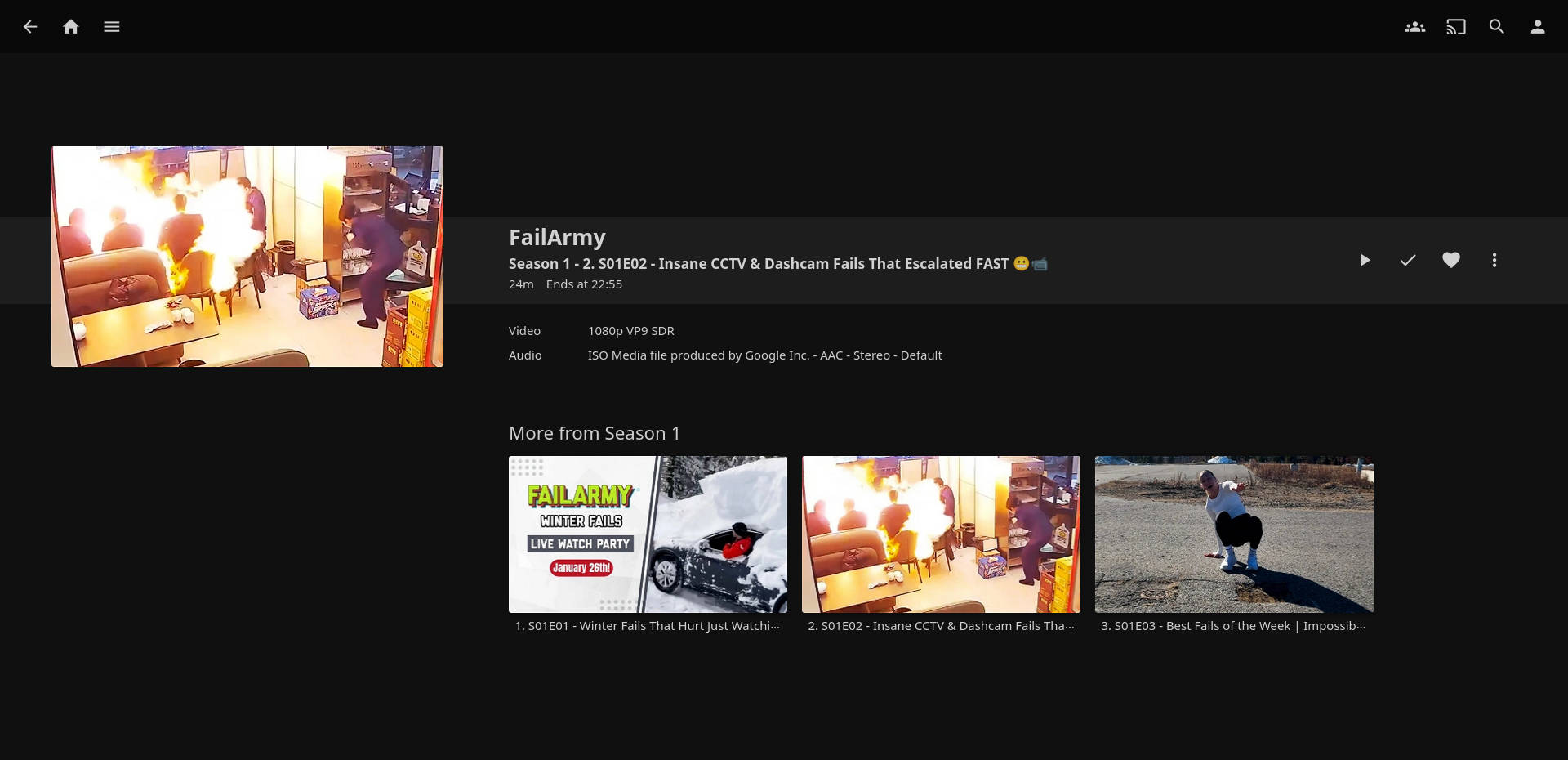
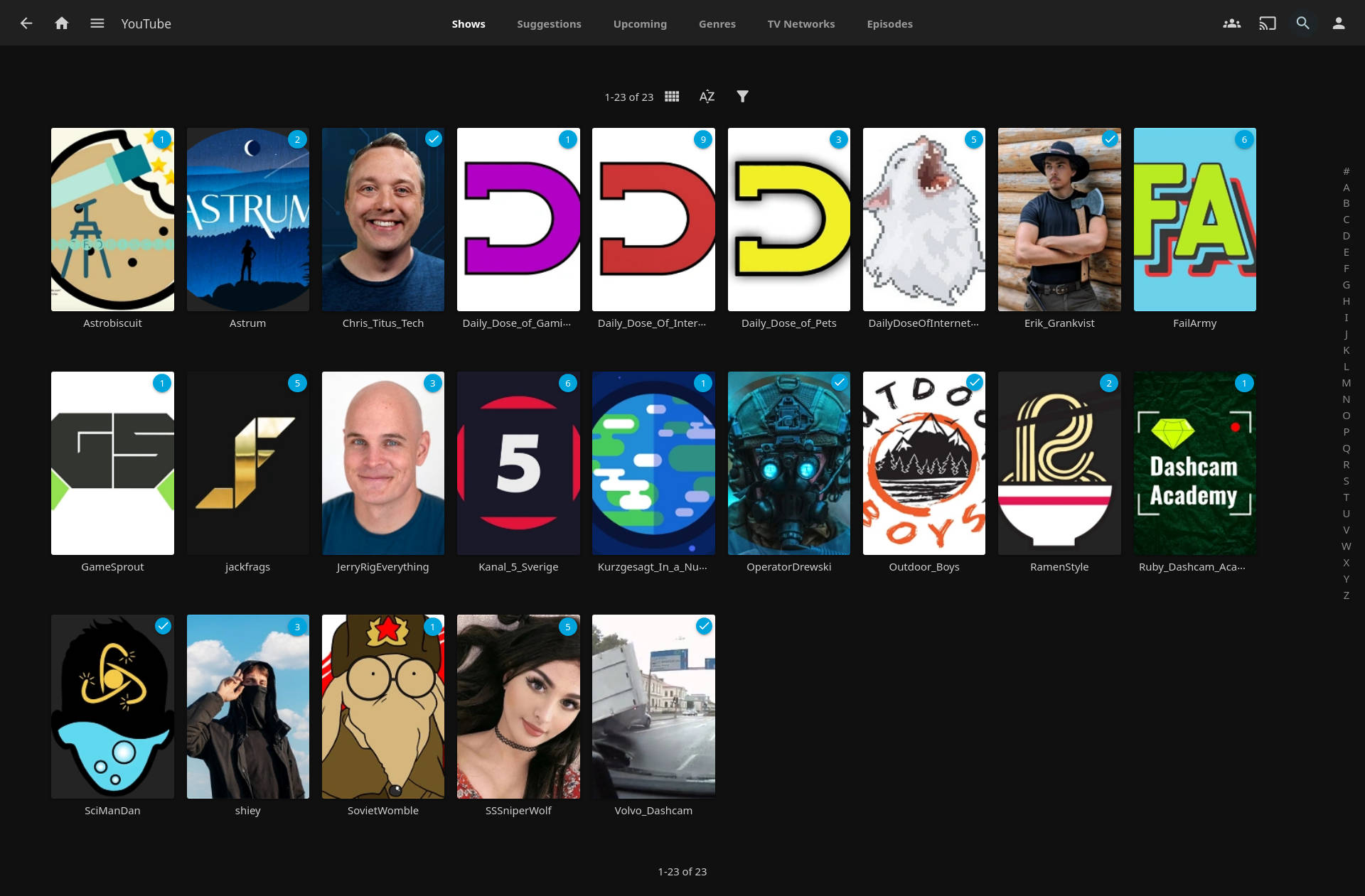
jellyfin-example-1.jpg
· 220 KiB · Image (JPEG)
Originalformat
jellyfin-example-2.jpg
· 128 KiB · Image (JPEG)
Originalformat
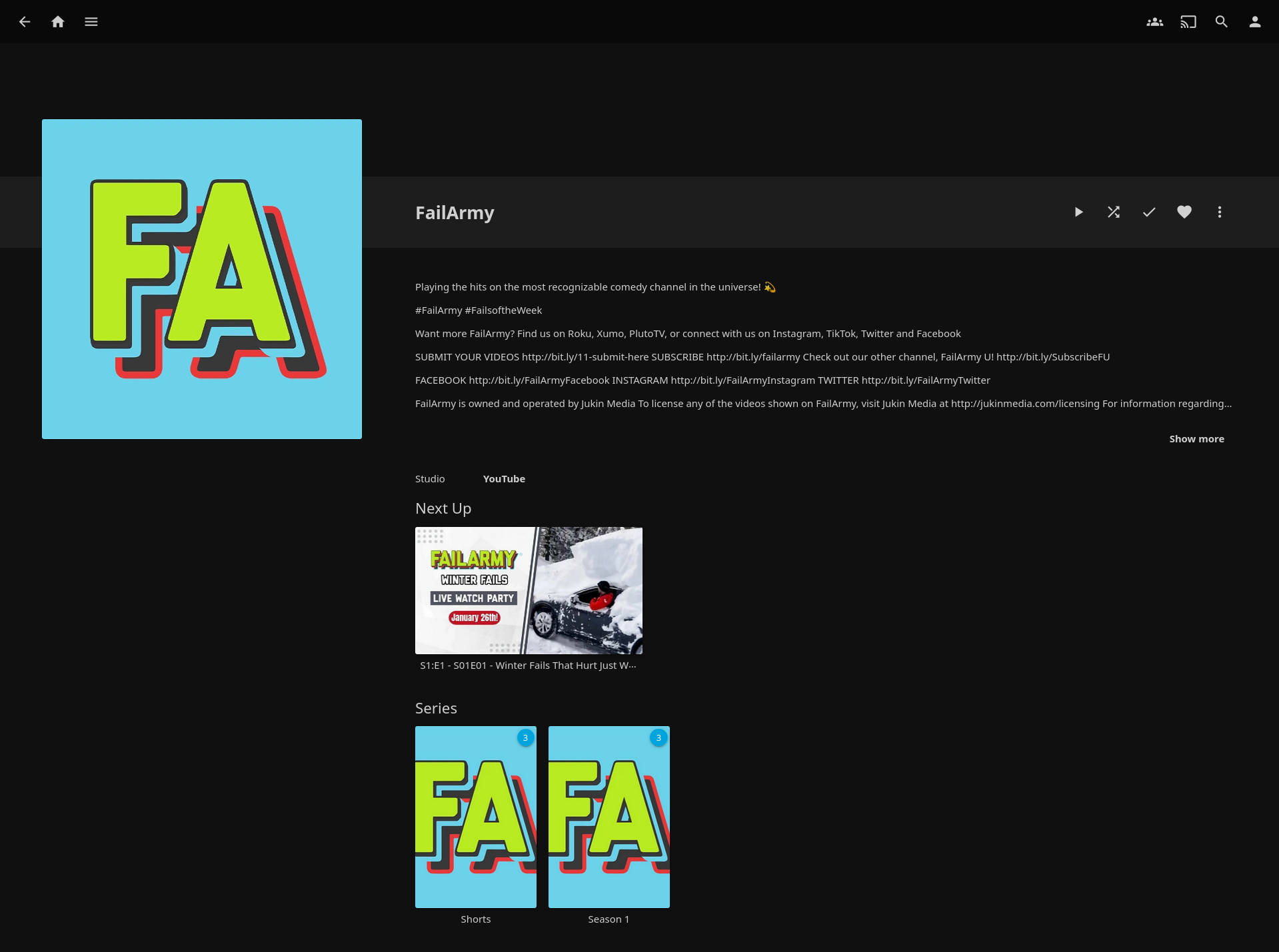
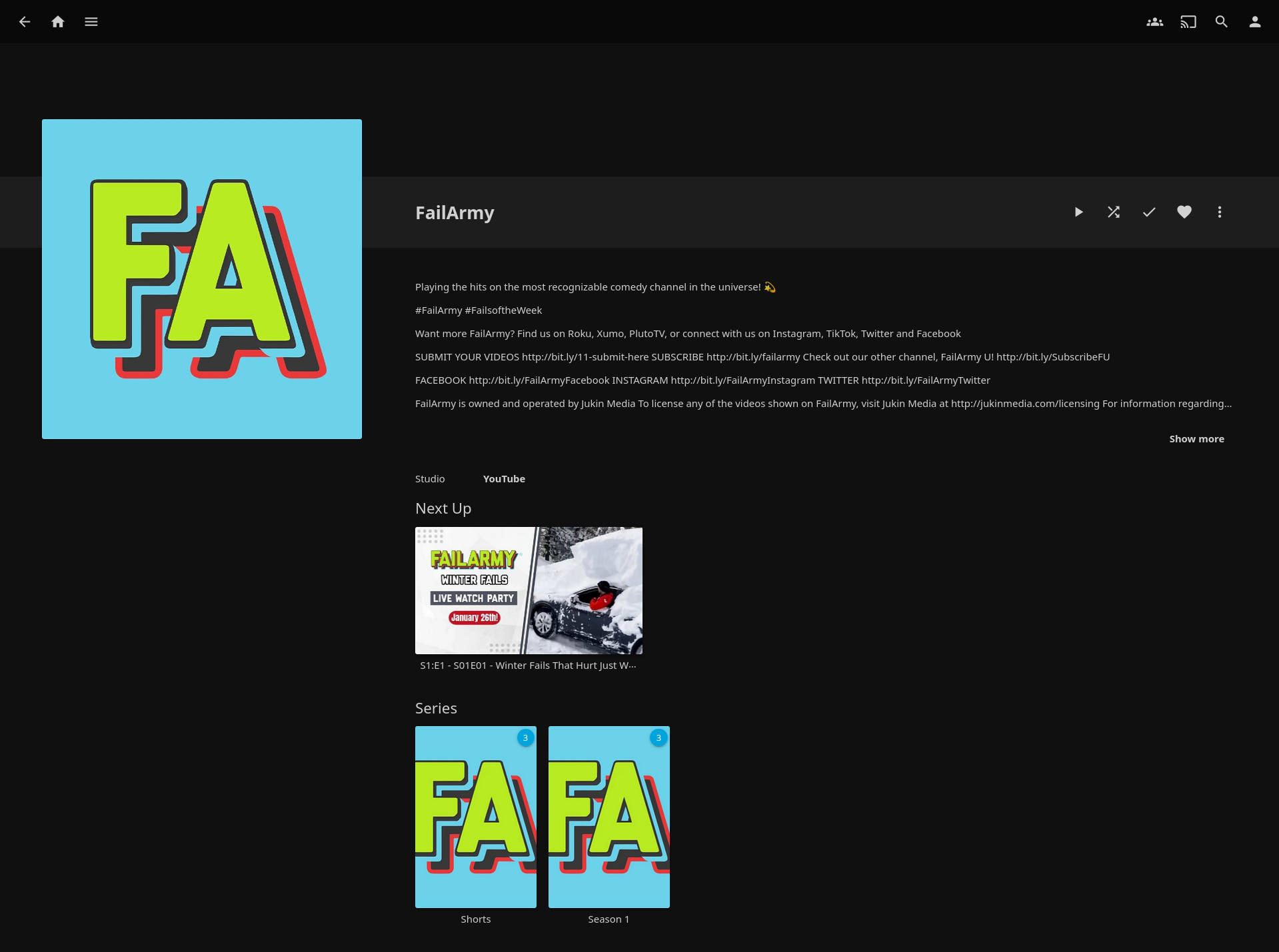
jellyfin-example-3.jpg
· 140 KiB · Image (JPEG)
Originalformat
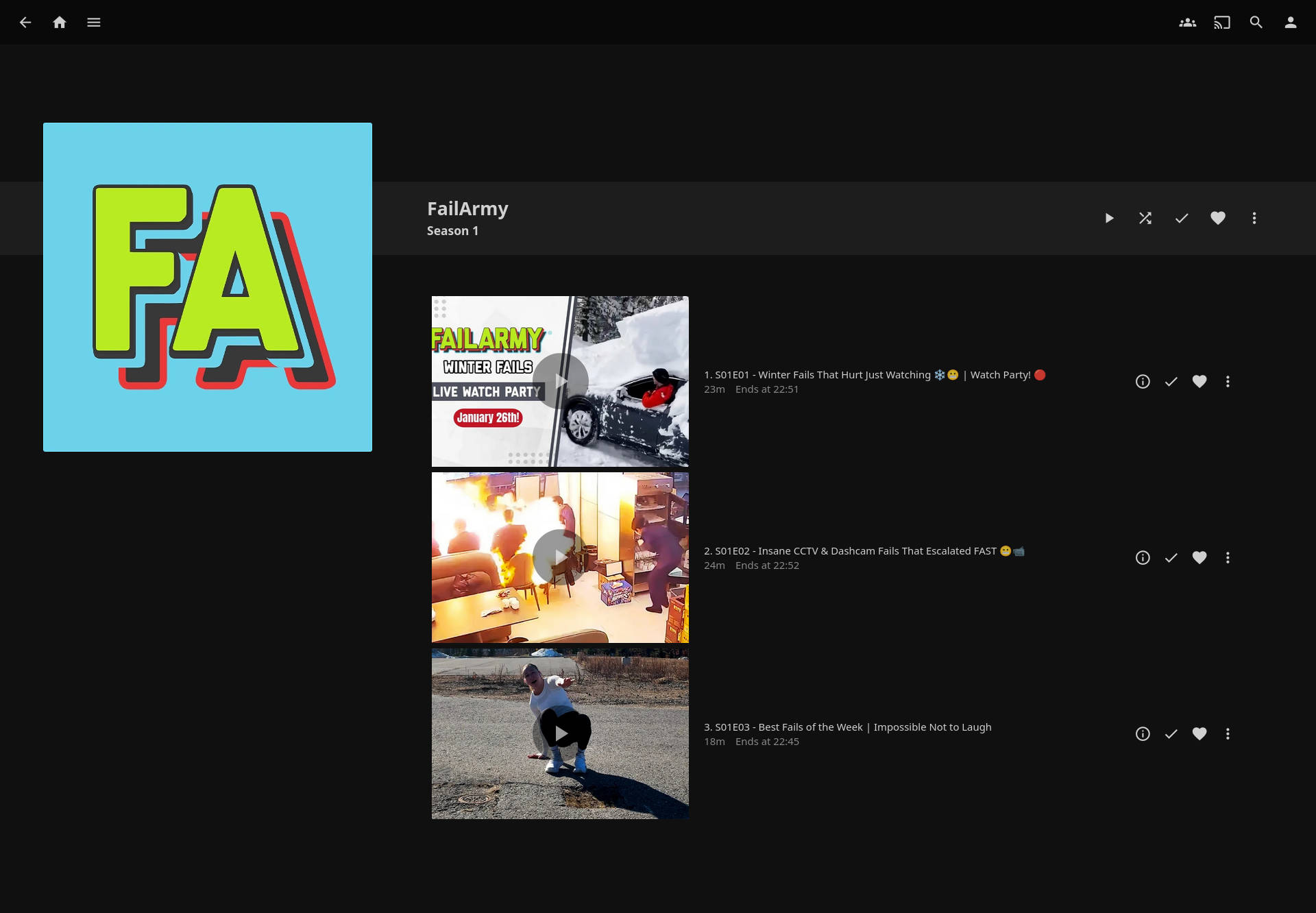
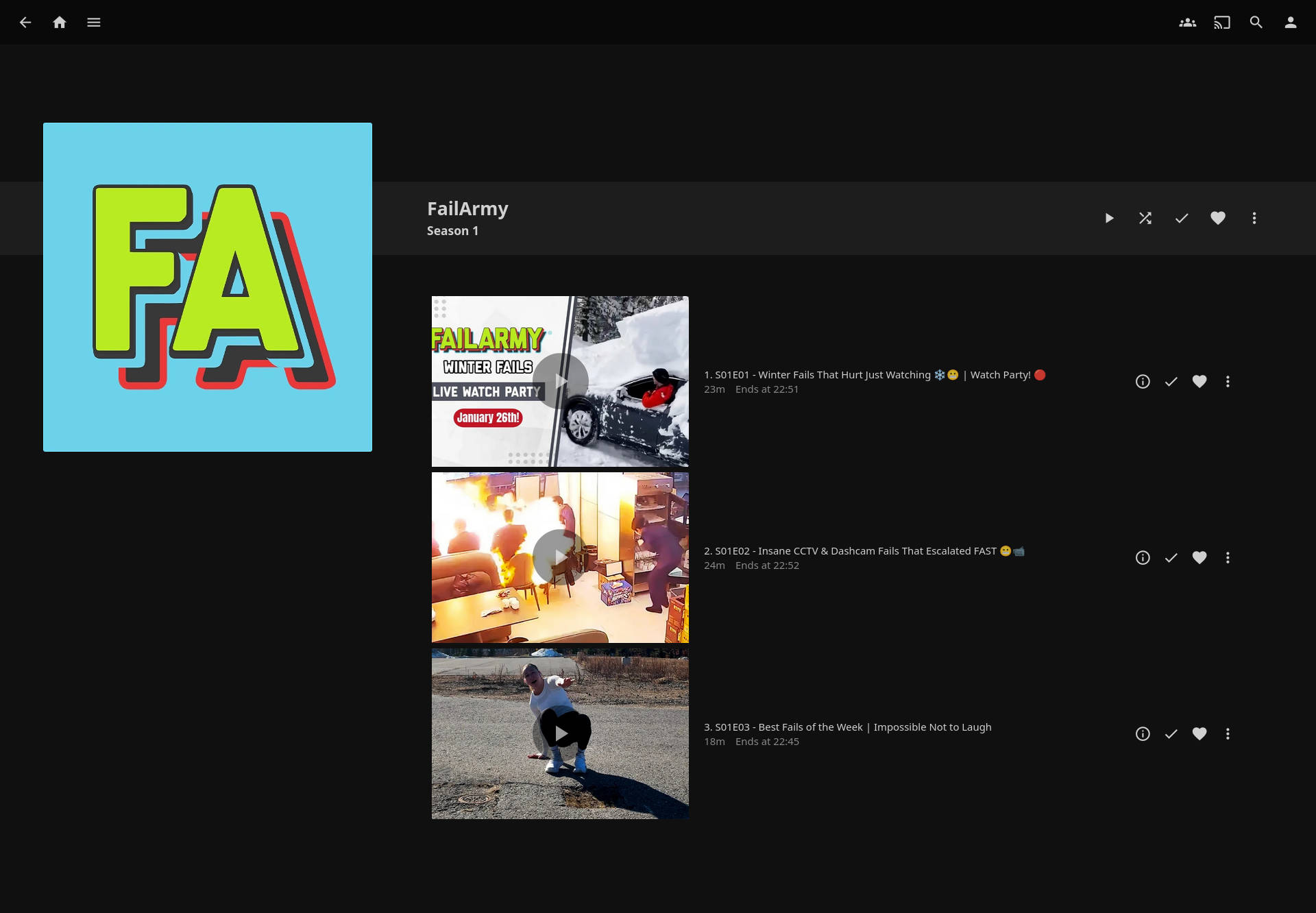
jellyfin-example-4.jpg
· 103 KiB · Image (JPEG)
Originalformat
jellyfin-example-5.jpg
· 121 KiB · Image (JPEG)
Originalformat